
General Specifications
- Advertiser supplies the ad or Naylor can create an ad with supplied artwork and text
- Creative accepted: JPG or GIF files only
- While animated GIF files are accepted and supported through most major email providers, there are known limitations with displaying animated files through older desktop versions of Outlook (versions 2007 – 2019). Please use your discretion when supplying animated files. As a best practice, ensure that the first frame of your animated file clearly communicates your core message
- Animation must not exceed 15 seconds in length, including multiple loops. Animation should stop on the last frame. No continuous loops
- Max file size: 100 KB
- While animated GIF files are accepted and supported through most major email providers, there are known limitations with displaying animated files through older desktop versions of Outlook (versions 2007 – 2019). Please use your discretion when supplying animated files. As a best practice, ensure that the first frame of your animated file clearly communicates your core message
- Third-party tags and 1×1 tracking pixel tags of any kind are not accepted
- Daily artwork rotation is not allowed, although we encourage regular updates of your ad artwork. Please speak with your Naylor representative for details
- File must be created/saved in RGB color mode (most digital graphics and photos are already in RGB mode; check this by viewing the file properties)
- File must be a minimum of 72 dpi
- Font size should be a minimum of 10 pts, depending on the font family (avoid using serif fonts)
- Advertiser supplies the URL the ad should link to
- Third-party JavaScript/iFrame tags are not accepted because ads are delivered through email
- Click-thru tags are accepted, such as UTM codes, which can be built through Google UTM builder
*Please note: email addresses cannot be used as a URL/web link.
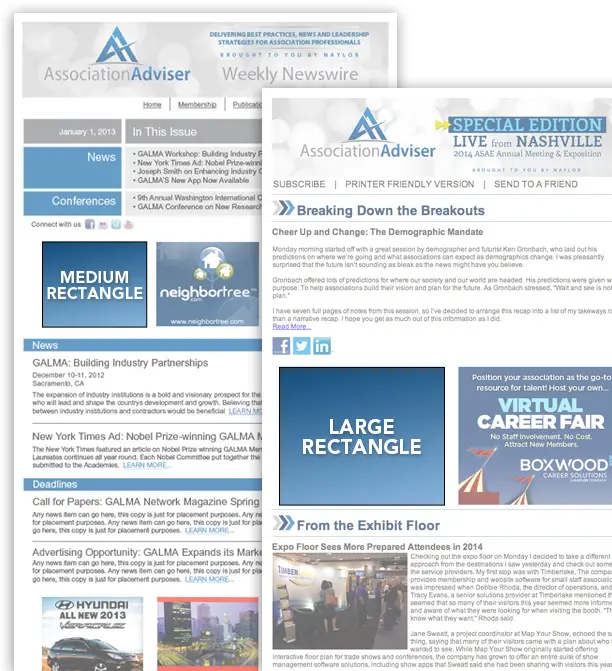
Ad Sizes
Association eNewsletters have numerous ad sizes and restrictions. To ensure you have the correct specs, please contact your Naylor representative or refer to the media kit. Disclaimer: Please note that the mockup shows the overall newsletter layout, but the exact ad location within the newsletter will vary depending on the amount of editorial content supplied in each issue.
Large Rectangle (300 x 250 pixels)

Medium Rectangle (300 x 100 pixels)

Small Rectangle (180 x 150 pixels)

Leaderboard (728 x 90 pixels or 650 x 90 pixels)

Horizontal Banner (468 x 60 pixels)

True Text Sponsored Content Ad
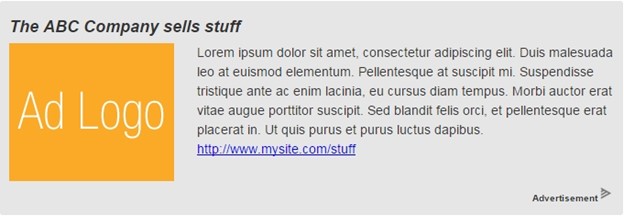
- Image/logo must be 180 x 150 px
- Image/logo format must be JPEG or PNG file, @72 dpi, RGB
- No animation
- Font size should be a minimum of 10 pts, depending on the font family (avoid using serif fonts)
- Headline: advertiser supplies up to 64 characters, including spaces
- Summary text: advertiser supplies up to 465 characters, including spaces
- Call-to-action text:
- Advertiser supplies up to 64 characters, including spaces (e.g., Click Here, Read More)
- Advertiser supplies call-to-action URL
Need help formatting your ad or confirming specs?
Contact your Naylor representative or our suport team